Help desk software that knows the whole account.
A ticketing system with SLA timers, email-to-ticket, live chat and a help site, where every ticket sits on the customer it belongs to. Whoever picks one up sees the account’s health, renewal, open escalations and past conversations, not just the message.
14 days free, then $49 per user per month, everything included. View-only users are free.
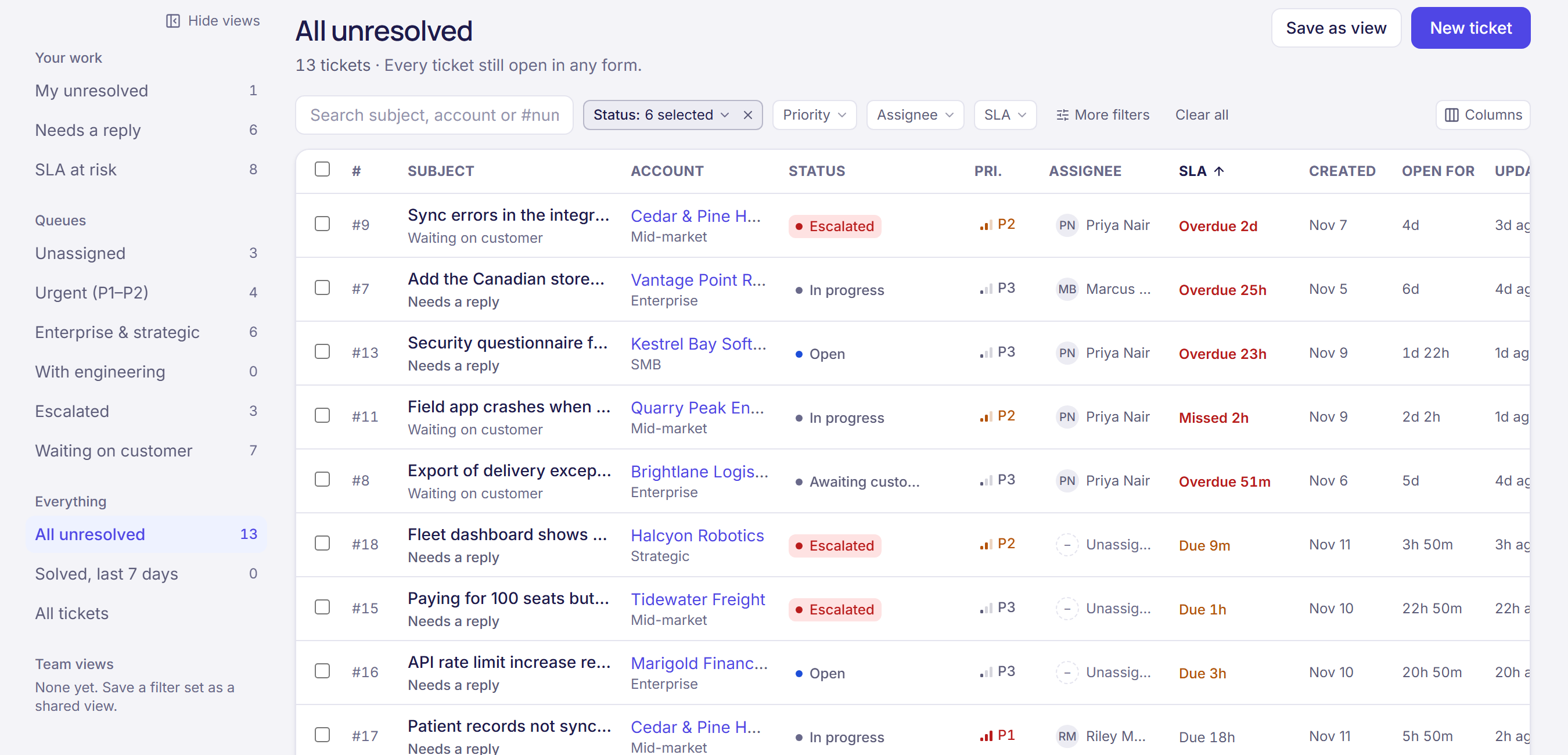
A queue sorted by what’s due next.
Every ticket shows its SLA clock, so your team works the most urgent first. Views for needs a reply, at risk, unassigned and escalated come built in, and anyone can save their own filters as a view for the team.
- First-response and resolution targets by tier and priority, counted in your business hours
- Priorities P1 to P4, categories, tags and custom fields on every ticket
- Bulk changes, keyboard shortcuts and a preview that opens without leaving the queue
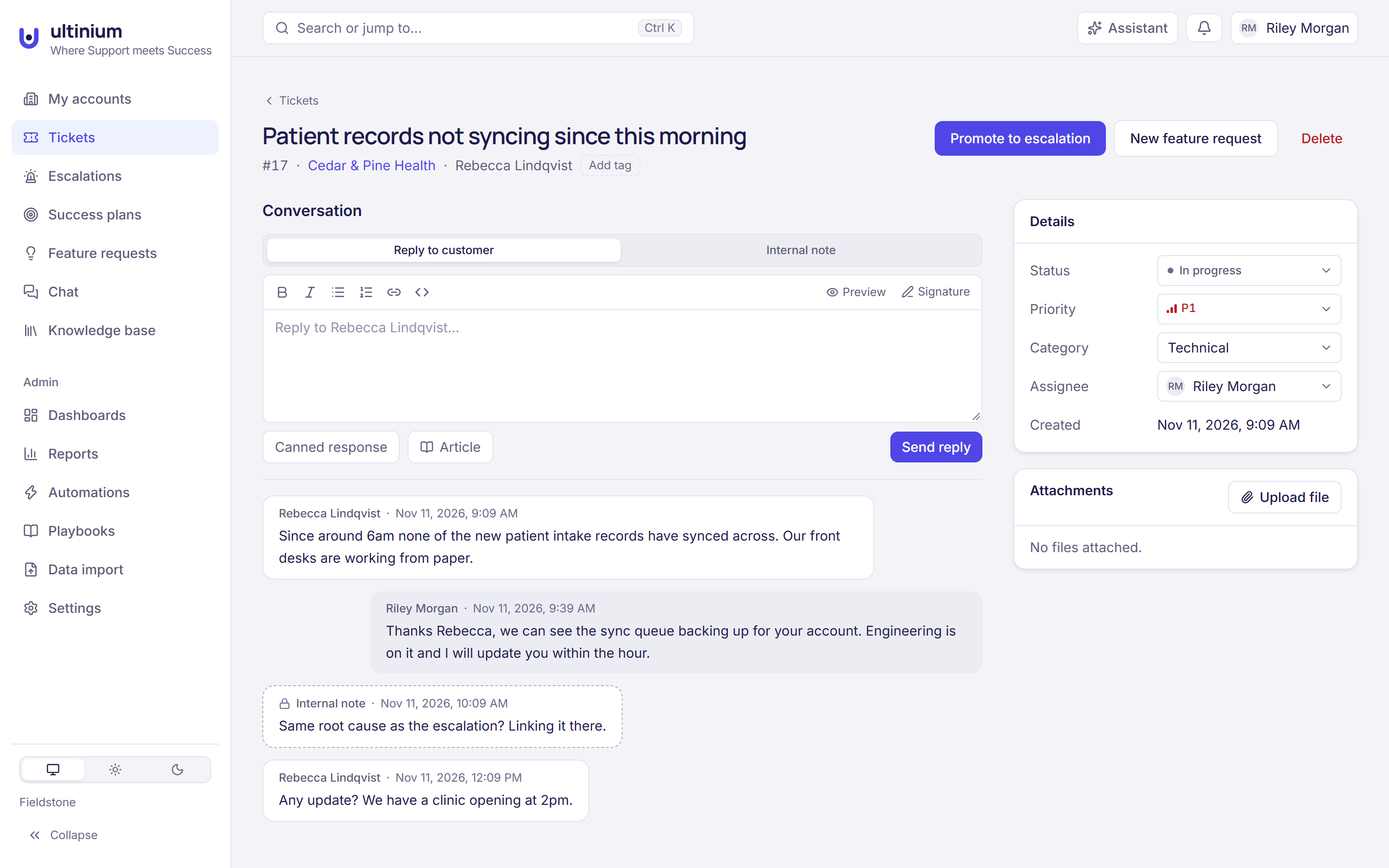
- Canned responses, internal notes and help articles you can drop into a reply
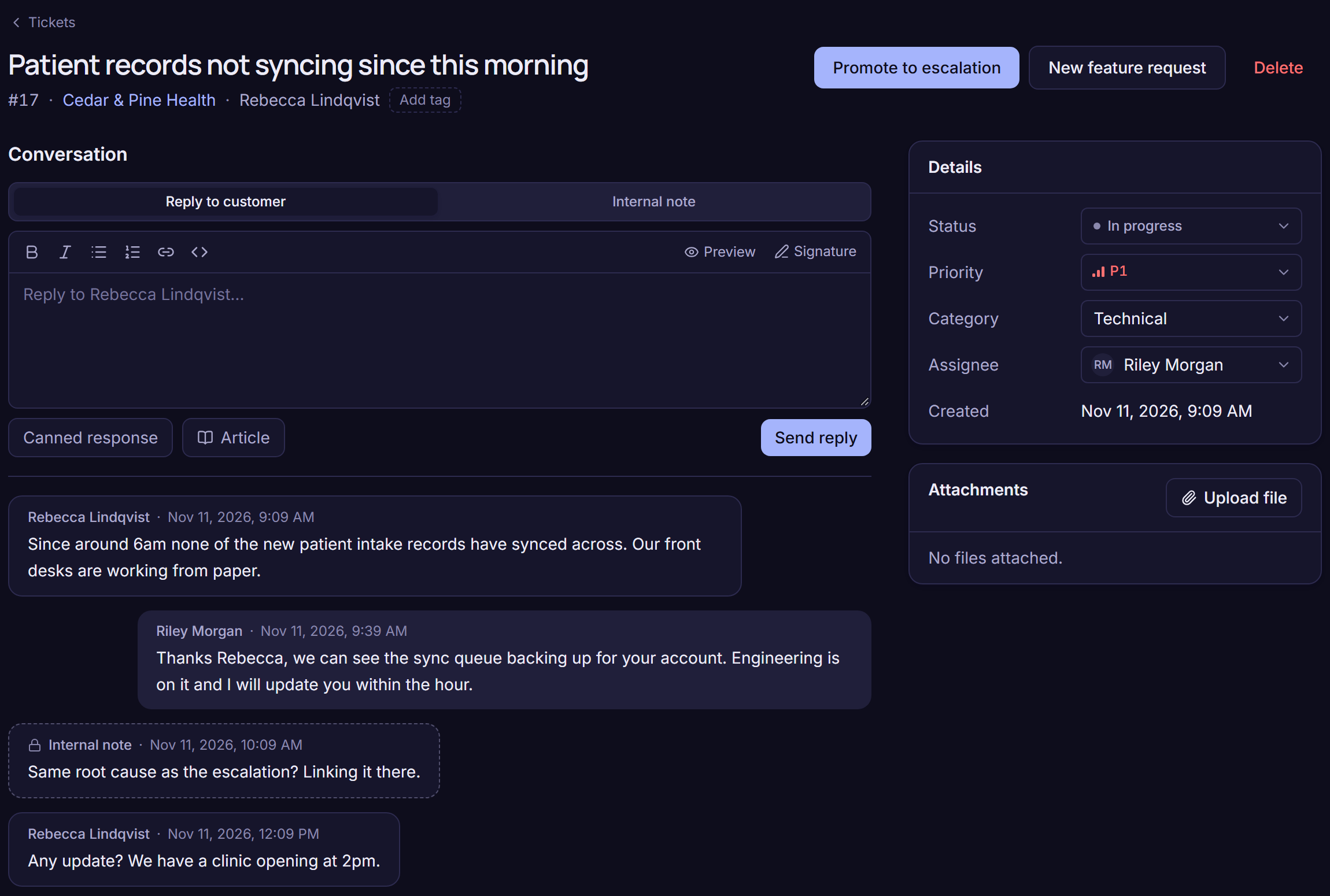
Customers write the way they like. It all lands on the account.
Forward your support address and every email becomes a ticket on the customer’s account. Replies go back by email from your own domain, and the customer’s answers come back to the same ticket with their files. Live chat works the same way.
- Email-to-ticket from your own support address, with attachments both ways
- Live chat on your help site and on your own website, with presence, transfers and ratings
- A chat that needs follow-up becomes a ticket in one click
- Tickets from Zendesk come across with their conversations
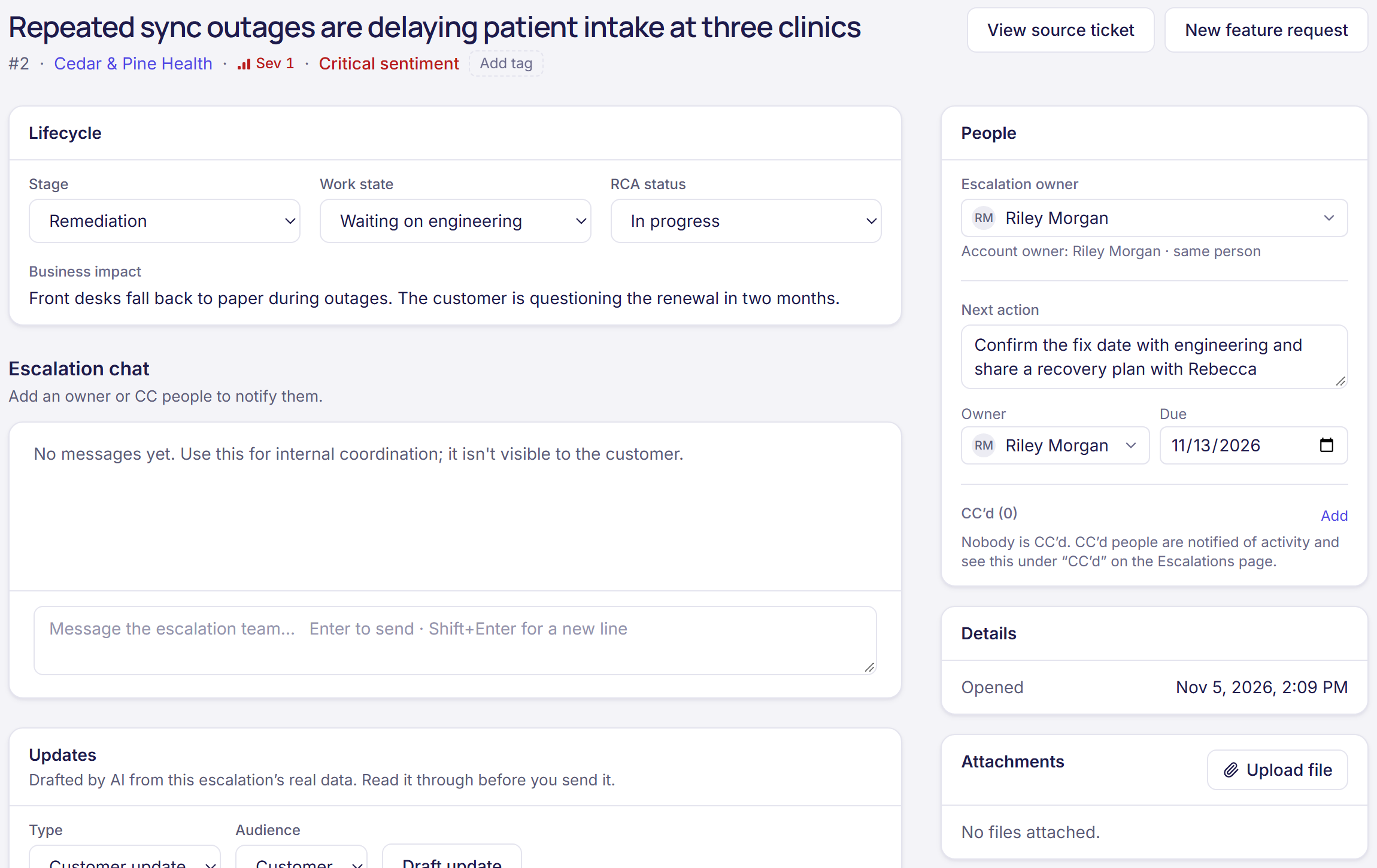
When a ticket becomes a fire, run it in the open.
Promote a ticket to an escalation and it gets a severity, an owner, a stage and a next action with a due date. Everyone involved works it in one place, and AI drafts the customer update from what has happened so far.
- Severity 1 to 4, stages from discovery to monitoring, and a work state that shows who it is waiting on
- An owner and a next action with an owner and a due date, flagged when it is late
- An escalation chat for the team, and people CC’d who hear about every change
- Send it to Jira for engineering, and status comes back as it moves
A help site for your customers, ready on day one.
Your workspace comes with a help site at yourname.ultinium.app/help, with your logo and colour. Customers search your articles, ask the AI, send requests from their work email and follow their requests after signing in.
- A knowledge base with collections and articles for everyone, signed-in customers or your team only
- AI answers from your articles, with links to the sources, when you turn them on
- Signed-in customers see their own requests, reply and attach files
Questions
Is Ultinium a ticketing system?
Yes. Ultinium is a full help desk: a ticket queue with SLA timers, priorities, statuses, saved views, bulk actions and keyboard shortcuts, plus email-to-ticket, live chat and a help site for each workspace. What makes it different is that every ticket sits on the customer account it belongs to, next to that customer’s health, renewal, meetings and escalations.
Can customers email us and get a ticket?
Yes. Forward your own support address, like support@yourcompany.com, to the address Ultinium gives you, and every new email becomes a ticket on the account the sender belongs to. Replies go back by email, and when you add a few DNS records they go out from your own address. When customers answer, their reply and its attachments land on the same ticket.
Do you have live chat?
Yes. Chat is built into your help site, and you can add the chat widget to your own website or product. Agents see who is online, transfer chats, leave internal notes and wrap up each chat with a reason, and customers can rate the conversation. A chat that needs follow-up becomes a ticket in one click.
Can we set SLAs and business hours?
Yes. Set first-response and resolution targets by account tier and priority, and business hours so the clocks only run while you are open. The queue sorts by what is due soonest, shows time left or time over on every ticket, and has a view for tickets at risk.
Can we move from Zendesk?
Yes. Connect Zendesk and your tickets and their conversations come into Ultinium on the right accounts. You can run both side by side while you switch.
How much does it cost?
The help desk is included in the one Ultinium plan: $49 per user per month billed yearly, or $59 monthly, with customer success, AI answers and the assistant included too. People who only need to look, like executives and account executives, are free. There is a 14-day free trial.
Try the help desk with your own tickets.
Start a free trial and connect your support address, or book a 30-minute walkthrough shaped around how your team works.